Yes, as a fellow traveller you can view the booking by manually adding it to your account. This works both via Mijn Sunweb and in the Sunweb app.
How do I add a booking via My Sunweb?
- Log in to My Sunweb
- Click on ‘Add a booking’
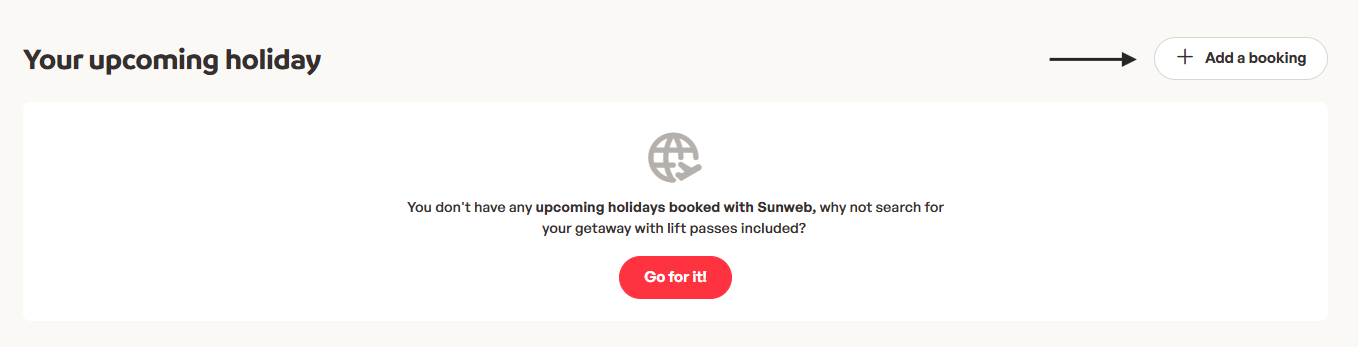
- Enter the following details: booking number, surname of the main booker, and departure date. Then click ‘Add booking’.
- After a few minutes, the booking will appear in your account. Please note: as a fellow traveller, you cannot make any changes to the booking or complete any payments. Only the main booker can do this.
How do I add a booking via the Sunweb app?
- Open the Sunweb app and make sure you’re logged in
- Open the ‘My Sunweb’ menu in the top left and click on ‘Take part in an active holiday’
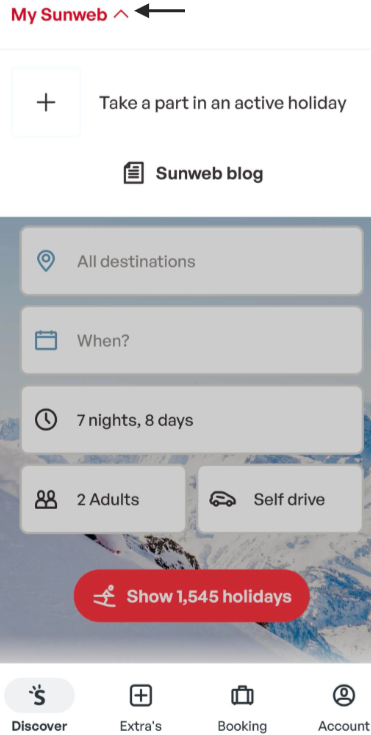
- Enter the following details: booking number, surname of the main booker, and departure date. Then click ‘Add booking’.
- After a few minutes, the booking will appear in the app. Please note: as a fellow traveller, you cannot make any changes to the booking or complete any payments. Only the main booker can do this.
Was this article helpful?
That’s Great!
Thank you for your feedback
Sorry! We couldn't be helpful
Thank you for your feedback
Feedback sent
We appreciate your effort and will try to fix the article
Questions about the same subject
Related questions
Haven't you found your answer?
WhatsApp or call us!
WhatsApp us at +442031708206. You can also call us at the same number, but please be aware of longer waiting times.
Opening hours :
Monday-Friday: 08:30-17:00
Saturday: 09:00-16:00
Sunday: closed
Send us an email
You can help us by sending your email through our contact form. Please allow for a few days processing time, depending on the workload.